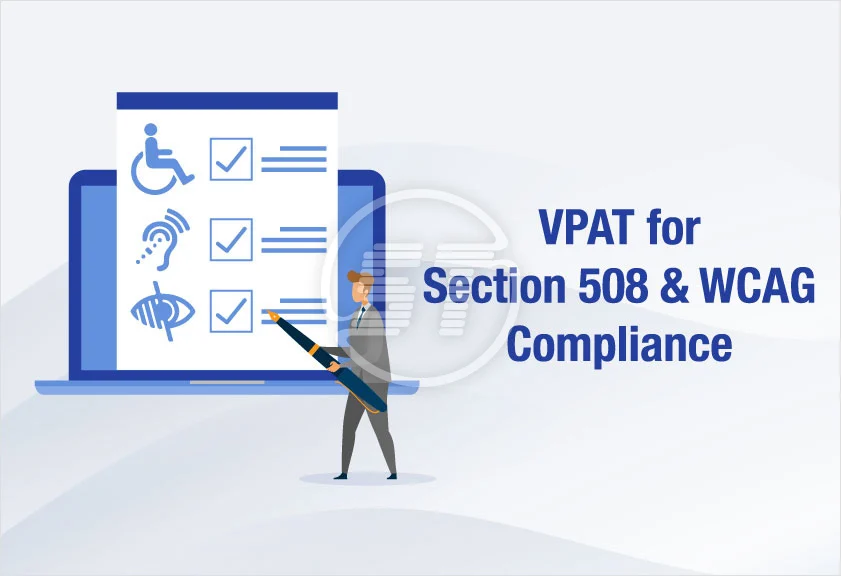
Over 1 in 4 adults in the US live with a disability, yet most digital products still don’t meet federal accessibility standards. That’s where VPAT testing comes in.
A Voluntary Product Accessibility Template (VPAT) helps document how well your digital product meets accessibility guidelines, but testing is what makes that documentation credible.
VPAT testing is a practical way to prove you’re serious about inclusion, reduce legal risk, and meet procurement requirements, especially for public sector clients. Done right, it leads to a reliable accessibility conformance report that helps teams build trust and stay compliant.
What Is VPAT Testing?
A VPAT isn’t just another compliance form; it’s your product’s accessibility passport.
If you want to sell software to government agencies, universities, or large enterprises, chances are you’ll be asked: “Can you share your VPAT?” That one question can decide whether you move forward in a sales conversation or get disqualified before it even begins.
VPAT stands for Voluntary Product Accessibility Template. It was developed by the Information Technology Industry Council (ITI) to help vendors publicly disclose how accessible their digital products are.
Think of it as a structured way to say: Here’s what we’ve tested, here’s what works, and here’s where we’re improving.
But the real action happens behind the scenes, in VPAT testing. This is the process of actually checking your site, app, or platform against accessibility standards like:
- WCAG 2.1 (used globally)
- Section 508 (used in the US for federal compliance)
- EN 301 549 (used in Europe)
The testing part is what makes a VPAT credible. Without it, your VPAT accessibility report is just a bunch of checkboxes. With it, you’re giving buyers, legal teams, and users a clear sign that you’re building with inclusion in mind, not just as an afterthought.
Take this example: If you’re bidding for a US government contract worth $250,000 or more, Section 508 compliance is mandatory. And that means a tested, up-to-date VPAT is non-negotiable.
Bottom line? VPAT testing isn’t just about avoiding lawsuits. It’s about earning trust, winning deals, and building tech that works for everyone.
Breaking Down Accessibility Standards in VPAT
A good accessibility conformance report doesn’t just say, “We’re compliant.” It shows how and against what. That’s why every VPAT is tied directly to specific global accessibility standards, and understanding them is the difference between ticking boxes and actually meeting user needs.
WCAG 2.1 A, AA, AAA
The Web Content Accessibility Guidelines (WCAG) are the global gold standard. Most VPATs are tested against WCAG 2.1 Level AA, which balances real-world usability with achievable design changes.
Level A covers the basics, AA focuses on user experience (contrast, navigation, etc.), and AAA is the most advanced (but often not required). For most companies, especially in the US and Canada, AA is the sweet spot. It shows commitment and helps reduce legal exposure.
Section 508 Compliance
If you want to work with any US federal agency, Section 508 compliance is non-negotiable. This legal standard applies to all information and communication technology, not just websites but also software, PDFs, and mobile apps.
VPATs that include Section 508 show you’re ready for government procurement and know what digital equity means in practice.
EN 301 549 and International Use
Doing business in the EU? Then, you’ll need to test against EN 301 549, Europe’s accessibility rulebook.
Modern VPATs (like the latest ITI template versions) often include all three standards: WCAG, Section 508, and EN 301 549 — making them future-proof for global markets. This matters because it allows your VPAT accessibility report to travel with you across borders and procurement systems.
Steps To Perform VPAT Testing
Performing VPAT testing is about proving your digital product is usable by people with disabilities. With more than 1 billion people worldwide living with some form of disability, the importance of accessibility is bigger than compliance; it’s about inclusion.
Let’s walk through the actual process step by step so your final accessibility conformance report holds up to scrutiny and serves real users.
Step 1: Identify Which Standards Apply
Before any testing starts, you need clarity on the rules. Ask: Where will this product be used? Who will buy it?
- US federal contracts? You’ll need Section 508 compliance.
- Serving users in Europe? EN 301 549 applies.
- General web accessibility? WCAG 2.1, typically Level AA, is the global baseline.
The latest VPAT template from ITI supports all three standards. Choose the ones that align with your users and legal exposure. If unsure, start with WCAG 2.1 AA. It’s the most broadly applicable.
Step 2: Run Automated Scans
Automation helps you spot low-hanging issues like missing alt text, broken ARIA attributes, and poor contrast. Tools like Deque Axe, WAVE, and Accessibility Spark can scan pages and highlight violations quickly.
But remember: these tools only catch 20% to 30% of accessibility issues (Deque Systems). That’s why automation is just the first step, not the whole process.
Step 3: Conduct Manual Testing
Automation can’t judge usability. This is where real humans step in. Use:
- Screen readers like NVDA or VoiceOver
- Keyboard-only navigation to test focus states and skip links
- Color filters or zoom tools to simulate visual impairments
- Mobile devices to ensure responsive content meets accessibility goals
Create test scripts for common user journeys such as filling out forms, navigating menus, or using search. Note where breakdowns occur.
Step 4: Document Findings Clearly
Now, take everything you’ve learned and organize it into clear notes. The VPAT format has specific tables and terminology (like “Supports” or “Partially Supports”).
Don’t exaggerate. If your product partially meets a requirement, say so and explain why. Transparency builds trust and signals progress.
Tips:
- Include links to issues in a bug tracker if possible
- Explain limitations and future plans for improvement
- Be consistent with wording and tone throughout
Step 5: Create the Accessibility Conformance Report
This is your final deliverable: the accessibility conformance report. It’s what buyers see and what procurement teams evaluate.
Your report should include:
- A summary table showing compliance status across standards
- Detailed tables for each guideline (WCAG, Section 508, etc.)
- Notes or remarks to clarify known limitations
- Links to supporting docs, audits, or remediation roadmaps
The W3C recommends that every accessibility claim be backed by repeatable testing and user evidence. Your report should feel credible, not rushed.
Common Mistakes in VPAT Accessibility
VPAT accessibility refers to transparency, usability, and risk management. Many teams treat it like a formality and miss the mark. These common pitfalls can put your business at risk, especially if you’re selling to government agencies or large institutions.
Mistaking Compliance for Completion
Some teams approach VPAT testing as a quick one-and-done exercise. They skim through the template, check a few boxes, and call it complete.
They forget that accessibility isn’t static. It evolves with user needs, tech updates, and law changes. A VPAT that’s not regularly updated can misrepresent your product’s accessibility and cost you contracts.
Skipping Manual Checks
Automated tools like Axe and WAVE are helpful but can only catch 50% of accessibility issues, according to Deque Systems. They miss critical user experience problems like screen reader flow or focus management. A strong VPAT requires manual testing on real devices with real assistive technologies.
Using Vague, Recycled Statements
One of the most common and risky VPAT accessibility mistakes is copying generic text or reusing language from unrelated products. This often leads to vague, non-committal phrases like “supports with exceptions” without any explanation or test evidence.
Procurement reviewers and accessibility auditors quickly flag these kinds of reports as incomplete or untrustworthy.
If your VPAT lacks specific findings, test dates, or references to actual user experience, it may be rejected or, worse, cause delays in sales or public contracts. A well-written accessibility conformance report needs to reflect the reality of your product, not a template.
Claiming More Than You Deliver
Saying your platform “fully meets” all WCAG 2.1 AA criteria when it doesn’t is risky. False claims can lead to legal trouble under the False Claims Act or ADA. It’s better to note limitations transparently than face penalties later.
Best Tools for VPAT Testing
Creating a thorough accessibility conformance report starts with choosing the right testing tool. Whether you’re aiming for basic Section 508 compliance or a full VPAT accessibility audit, these tools help automate checks, guide manual testing, and document results clearly.
1. Accessibility Spark
Accessibility Spark is a beginner-friendly platform ideal for teams aiming for WCAG A or AA compliance. It offers full-page scans, detects missing alt text, form label issues, and contrast errors, and even auto-corrects simple violations.
The tool generates readable, shareable reports and makes VPAT testing far more manageable for non-technical users like designers or content editors. It’s built to demystify compliance and reduce the workload that usually comes with accessibility audits.
While it doesn’t offer deep code-level analysis, it’s one of the best starting points for small- to medium-sized teams documenting their accessibility conformance report.
What it does best:
- Easy-to-understand reporting
- Auto-fixes common issues
- Ideal for A/AA testing
- No dev skills are needed
2. Deque Axe DevTools
Deque’s Axe DevTools is the industry standard for developer-focused accessibility testing. It integrates directly into browser developer tools and supports automated, unit, and integration testing.
Axe surfaces hard-to-find issues like dynamic content rendering or JavaScript-driven component errors, which many tools miss. It’s especially useful when building AAA-compliant platforms or detailed VPAT accessibility documentation for large projects. While it requires some technical knowledge, its precision makes it a go-to for enterprise accessibility workflows.
What it does best:
- Dev tool integration
- CI/CD workflow support
- AAA testing readiness
- Deep DOM analysis
3. WAVE by WebAIM
WAVE is a free browser extension developed by WebAIM that visually flags accessibility issues on web pages. It’s particularly helpful for identifying contrast problems, missing form labels, and improper heading structures.
While not sufficient for full VPAT testing on its own, WAVE is a great tool for quick spot-checks or when you need a visual explanation of a page’s weaknesses. It’s often used in early design reviews and works well alongside more advanced tools.
What it does best:
- Quick browser-based scans
- Visual issue overlays
- Good for early audits
- Free and accessible
4. TPGi ARC Toolkit
The ARC Toolkit by TPGi is designed for professional accessibility testers and enterprise teams. It combines automated testing with guided manual audit processes.
ARC includes reporting tools built specifically to align with Section 508 compliance and international standards like EN 301 549. The platform supports team collaboration, issue tracking, and benchmarking over time, making it ideal for long-term accessibility strategies.
It’s especially helpful when working across multiple departments or complex applications with a lot of content variation.
What it does best:
- Professional-grade audit tools
- Team-friendly dashboards
- Supports EN 301 549
- Tracks compliance trends
Using Your Accessibility Conformance Report
One broken accessibility promise can cost you a contract.
The ACR, built from your VPAT testing, is a living document that communicates how seriously your company takes digital inclusion. If your product touches healthcare, education, finance, or government, expect clients to ask for it upfront, especially during procurement or security reviews.
To keep your accessibility conformance report credible, update it regularly:
- After any major product release or design overhaul
- At least once a year, even if the product remains mostly unchanged
- When accessibility standards (like WCAG) release new versions
You also need to consider how it’s shared. Hosting it on your website in a clearly labeled “Accessibility” or “Compliance” section builds trust and transparency. For private platforms or internal tools, it’s fine to share the ACR only upon request as long as it’s ready.
If you wait until someone asks, you’ve waited too long. Accessibility isn’t just compliance; it’s a signal that your team is prepared, inclusive, and trustworthy. Keeping your report updated and available is one of the simplest ways to show it.
Wrapping Up
VPAT testing is a commitment to transparency, usability, and digital responsibility. It helps you prove that your product meets accessibility standards, not just claim it.
For teams navigating complex requirements like Section 508 compliance or producing an accessibility conformance report, the right tools make all the difference.
Platforms like Accessibility Spark simplify the process, offering clarity and speed for teams that may not have in-house accessibility experts. Whether you’re targeting government contracts or aiming for inclusive design, VPAT testing ensures you’re building digital products that work for everyone without leaving accessibility up to chance.